
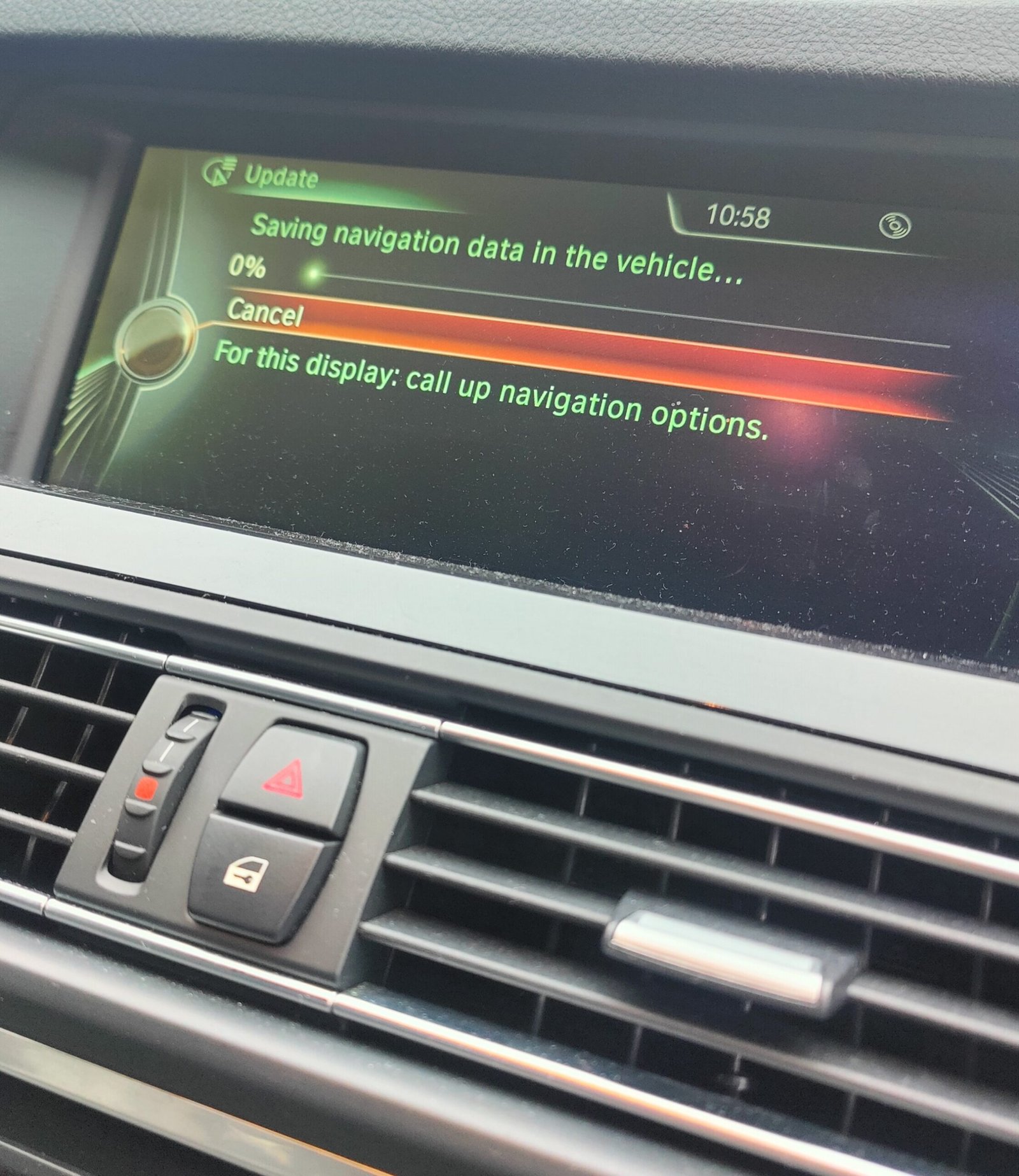
BMW Navigation Map Update – Download Maps + FSC Activation Code
£49.00
Keep your BMW navigation system accurate, fast, and up-to-date with the latest map updates. With our BMW Map Update service, you’ll get the most current road data, updated traffic patterns, new points of interest, and optimized routes – all designed to make your drive smoother, safer, and more efficient.
Description
Whether you’re planning a road trip or just commuting daily, having the latest BMW maps ensures you avoid traffic delays, detours, and outdated directions.
🔐 What is a BMW FSC Code and Why Do You Need It?
The BMW FSC (Feature Set Code) is a unique activation key tied to your car’s VIN (Vehicle Identification Number). It’s required for enabling new features in your BMW, especially navigation map updates.
Without the FSC code, your iDrive system will not recognize or install new maps.
✔️ Each code is generated specifically for your vehicle – double-check your VIN before purchase.
❗ Incorrect VIN = No refund (as it’s a digital product linked to your car).
If your BMW has a retrofitted head unit, please contact us before placing your order.
🔍 How to Check Your BMW Navigation Map Version
To find out which map version your BMW uses:
- Start your vehicle and iDrive system
- Press the “Navigation” or “Map” button
- Click the “Option” button on your iDrive controller
- Select “Navigation System Version”
Example: Road Map Europe PREMIUM 2015-1
→ This means your car requires the PREMIUM version. Only that version will work – others like MOVE, NEXT, or MOTION are not compatible.
✅ What’s Included in the DIY BMW Map Update Kit
When you purchase a BMW map update from us, you’ll receive:
- ✅ Secure download link (Google Drive or Mega.nz)
- ✅ Unique FSC code (or .bin file for NBTevo units)
- ✅ Step-by-step instructions for download and installation
- ✅ Guidance on preparing your USB for the update
- ✅ Remote support if needed
Just download the files to your PC, extract them to a USB drive, plug it into your car, and follow the simple on-screen steps.
🧠 NBTevo iDrive 5/6 users: Instead of entering a code, you’ll use a .bin file or a cable (ENET/OBD) for activation.
💻 System Requirements
To complete your BMW map update, you’ll need:
- A Windows PC or laptop
- 32GB USB stick (64GB for NBTevo iDrive 5/6 systems)
- Reliable internet connection
- Basic computer skills
Mac users can also update maps, but macOS often adds hidden folders that interfere with iDrive. We recommend using Windows for best results.
🚀 Why Choose Us for Your BMW Map Update?
- 🔧 Simple & fast USB-based process
- 📘 Clear, beginner-friendly instructions
- 👨💻 Personalized support from real BMW experts
- ⭐ Hundreds of 5-star reviews from happy customers
- 🛠️ Remote assistance available if needed
- 💯 High satisfaction rate – we value our clients!
⚠️ Important Information Before Buying
- The FSC code is VIN-specific and non-refundable
- We’re not responsible for issues related to internet speed, download problems, or unsupported devices
- Codes are usually delivered within 1 business day (max 3 days)
- For vehicles with old firmware (2009–2011): Map update may fail at 93.7% unless you update your firmware first
Have doubts? Contact us – we’ll check everything for you before purchase.
🌍 BMW Europe Map Coverage
Western Europe:
United Kingdom, Germany, France, Italy, Spain, Portugal, Austria, Switzerland, Netherlands, Belgium, and more.
Eastern Europe:
Poland, Hungary, Slovakia, Romania, Bulgaria, Czech Republic, Baltic countries, Belarus, and others.
Full region lists available in product details.
⚙️ iDrive Compatibility – NBTevo Software Versions
USB Method (Plug & Play):
NBTevo_G, NBTevo_H, NBTevo_I, NBTevo_J, NBTevo_K, NBTevo_L, NBTevo_M, NBTevo_N, NBTevo_O
ENET/OBD + Windows PC Required:
NBTevo_P, Q, R, S, T, U, X, Y
Not sure which version you have? Message us – we’ll help you identify it in minutes.
🛒 Ready to Update Your BMW Navigation System?
Don’t let outdated maps slow you down. Get your BMW map update + FSC code today and enjoy worry-free driving with the latest navigation data.
📩 Still have questions? Contact us anytime – we’re here to help.
Related products
-
BMW SOS Emergency Call Malfunction – Coding Removal for F&G Series | Wednesbury
£50.00 Add to basket -
Apple CarPlay Activation for BMW – In-Person Installation
£70.00 Add to basket -
BMW iDrive Reboot/Restart Loop Fix – EntryNav (F2x/F3x/F1x)
£130.00 Add to basket -

BMW F Series to G Series Key Upgrade – Brand New G Series-Style Key
£199.00 Add to basket